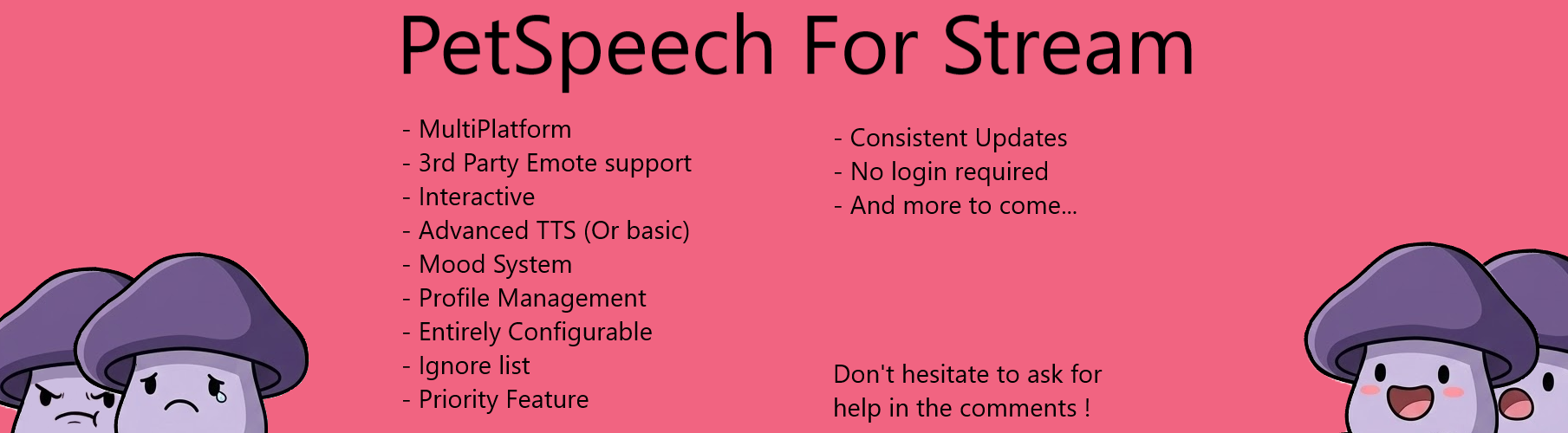
PetSpeech for Stream
A downloadable PetSpeech TTS
PetSpeech: The Interactive, Privacy-First TTS Stream Companion
I just want to preface a little something: This tool was originally being built for myself and my own stream, so I'm going to keep working on it because I want to make the best product for myself! I believe that's how the best tools are born. Check out the latest devlogs!
Transform your stream into a living, breathing performance. PetSpeech is a "set-it-and-forget-it" OBS overlay that gives your community a voice—literally. Forget complex setups and invasive permissions. Just paste your channel name, pick your pet, and watch your stream come to life.
✨ Why PetSpeech? ✨
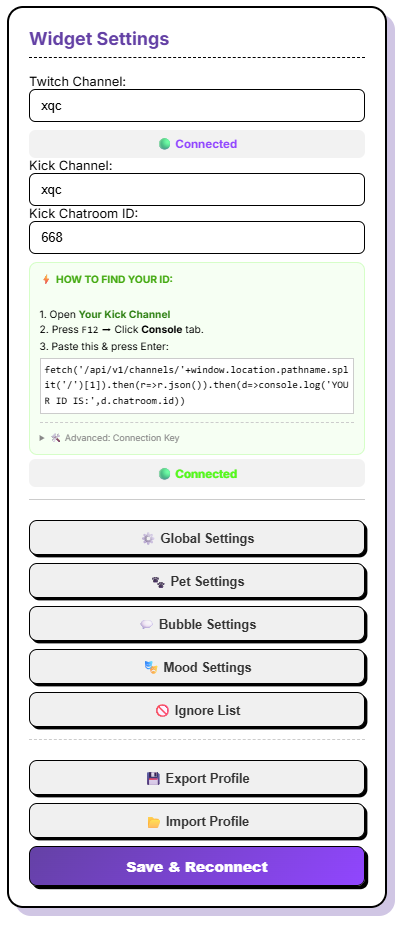
- 🎮 Multi-Platform Power (NEW): Simultaneously read chat from both Twitch and Kick.com! Every message includes a clean platform logo so your viewers always know where the message is coming from.
- 🔒 Privacy First (No Login Required): No OAuth, no passwords, no invasive "Connect to Twitch" buttons. PetSpeech connects directly to public data, keeping your accounts 100% secure.
- 🤖 Full 3rd Party Emote Support: PetSpeech automatically handles 7TV, BetterTTV, and FrankerFaceZ emotes for both Twitch AND Kick. Your pet sees what you see!
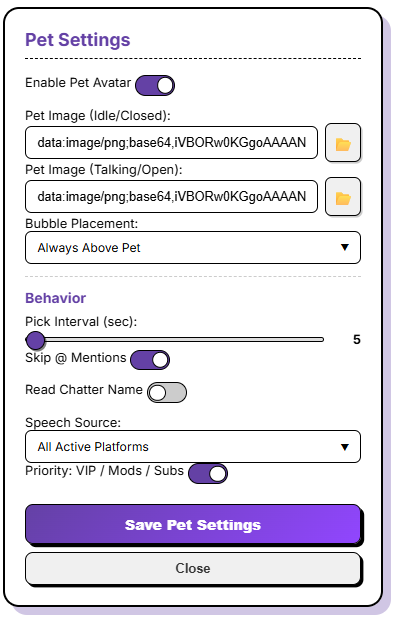
- 📍 Interactive & Smart: Drag and drop your pet anywhere on screen. The "Smart Bubble" automatically flips and flips to fit the available space so it's never cut off.
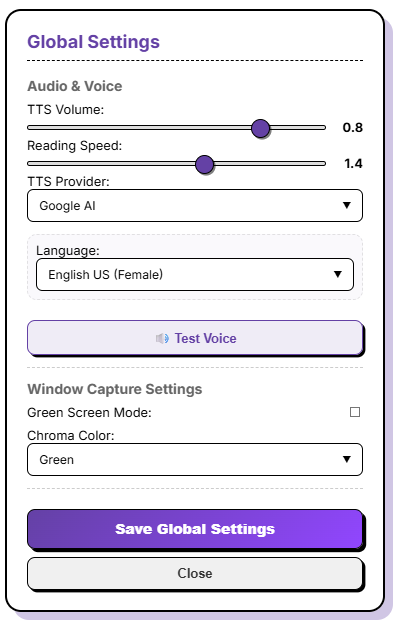
- 🎤 Pro-Level AI Voices: Support for high-quality Google AI Voices (Free), your local Windows system voices, and premium ElevenLabs API integration.
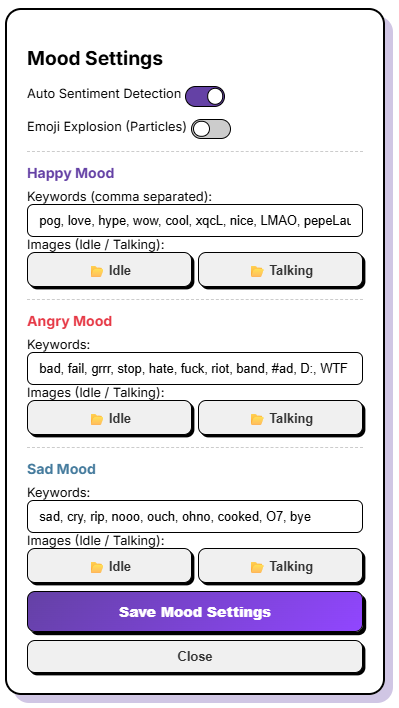
- 🎭 Dynamic Mood System: Define custom keywords (or emotes) to automatically change your pet’s expression or trigger Screen Particle Explosions (Hearts, Fire, etc.).
- 💾 Profile Management: Export and Import your entire setup—base64 images, custom fonts, and all—into a single
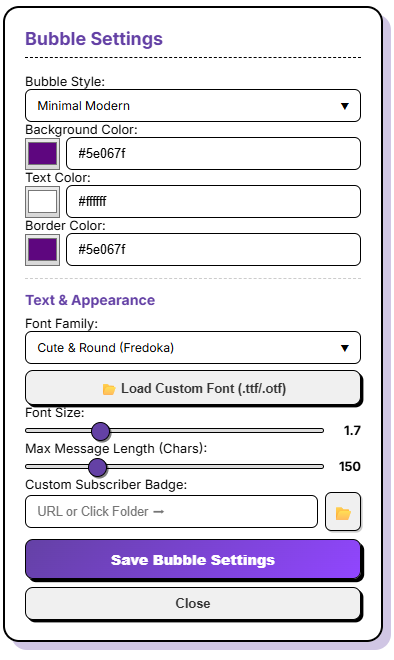
.jsonfile. Perfect for multi-scene setups! - 🎨 Total Customization: Real-time control over fonts, bubble styles, backgrounds, colors, and borders.
- 🎬 Window Capture Flexibility (NEW): Not a fan of OBS Browser Sources? Toggle "Green Screen Mode" to get a solid background (Green, Blue, Magenta, or Black). Open PetSpeech in any browser tab and use a standard OBS Window Capture with a Chroma Key filter for maximum audio reliability and control!
- 👑 Priority Mode: Make sure your VIPs, Mods, and Subs are always heard first.
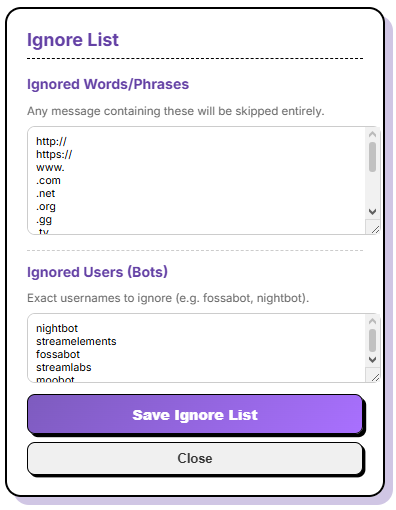
- ❌ Ignore List: Filter out specific words or users from being read.
🚀 Release History
- v1.0 - Launch!
- v1.1 - Added Eleven Labs API support.
- v1.2 - Added native Twitch Emote rendering.
- v1.3 - New bubble presets and styles.
- v1.4 - Added 7TV/BTTV/FFZ emotes & Google AI Voice engine.
- v1.5 - Introduced the Mood System (Keywords & Reactions).
- v1.6 - Profile Export/Import, User Ignore List, & Mood Particles.
- v1.7 - The Multi-Platform Update! Added full Kick.com support, platform origin badges, 7TV, BetterTTV, and FrankerFaceZ for Kick, and refined connection stability (to be honest kick api is super tricky compared to twitch so might bug sometimes, let me know)
- v1.7.1 — The "Green Screen" Update. Added Chroma Key support (Green/Blue/Magenta/Black backgrounds) for Window Capture mode and fixed Mood Keyword saving errors.
- v1.7.2 — Small error fix and reorganizing
Got an idea for the next update?
Leave a comment! I'm constantly refining this for my own stream and I'd love to hear your feedback or help you get set up!
Purchase
In order to download this PetSpeech TTS you must purchase it at or above the minimum price of $5 USD. You will get access to the following files:
Development log
- Update PetSpeech_v1.7 (Kick)1 day ago
- Update PetSpeech_v1.617 days ago
- Update PetSpeech_v1.545 days ago
- Update PetSpeech_v1.471 days ago
- Update PetSpeech_v1.377 days ago
- Update PetSpeech_v1.279 days ago
- Update PetSpeech_v1.188 days ago
Comments
Log in with itch.io to leave a comment.
Does this have any way to use Non-AI Voices, normal TTS is fine, doesn't have to be fancy
Oh yeah there is the built in windows TTS voice too if you prefer
If you go in global settings, you will be able to choose your TTS provider, and if you pick Native browser you will get the microsoft voices
(also if you want you can instal them directly from your windows settings if you want more choice)
Thank you so much!
what canvas size should be used for custom pets?
I deleted my previous answer because I misunderstood you
The pet itself can be of any size (Personally, I use a pet with these dimensions : 300x300)
very fun tool and easy to set-up! i recommend it, thanks a lot:)
Thank you !!